搜索此博客

2009年7月16日星期四

Restore SMS to Windows Mobile

Here is a step by step guide for you to restore sms to Windows Mobile Phone.

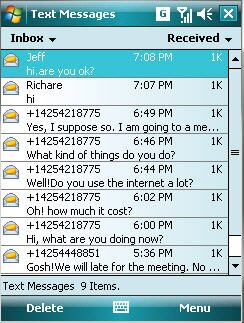
Before backup, the mobile phone do not have any messages as a brand new phone.


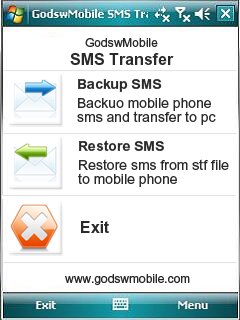
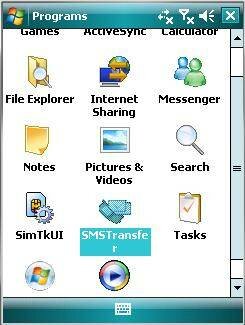
Step 1: Click on "SMS Transfer" in programs list to run it.


Step 2: Click on "Restore Messages" in the main interface to save your SMS messages into mobile phone.


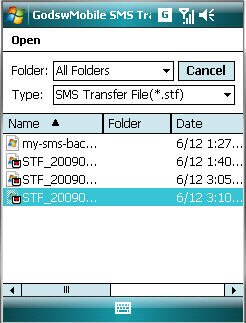
Step 3: Select and click on the stf file to be restored.


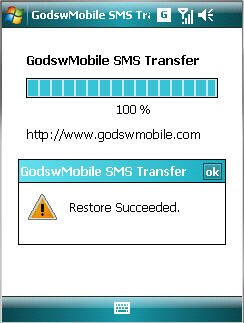
After Restore Succeed. You will see all you message come back to your phone now!


Down!

Free downlaod SMS Transfer HERE

2009年7月13日星期一

Backup text message for Windows Mobile

Do you have a lot of SMS messages, some of importance? Do you need to backup your SMS from your phone to pc? Here is a full solution for you to transfer sms from Windows Mobile Phone to your desktop computer.

Step1: Download the SMS Transfer Tool ;
Step 2: Unzip the file you downloaded just now and copy the installation file "GodswMobileSMSTransferSetup.CAB" to your mobile device. You may need to connect your device to a host computer using ActiveSync. You can also transfer the file using a memory card.
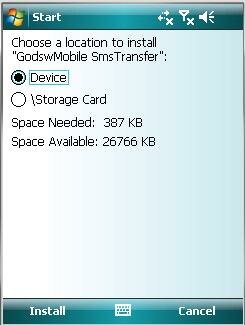
Step 3: On your device, navigate to the location of the CAB file using File Explorer. Click on the CAB file (displayed as the following screenshot) and click "Install" to begin the installation.

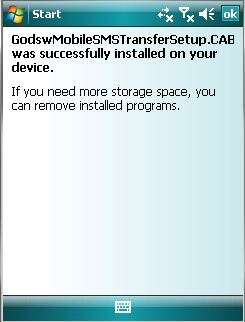
Step 4:Now installation completes. Select "OK" to continue.

Install Completed

Now let’s use the software to finish the transfer job.
Step 5: Click "start" and then select programs. You will see the follow screen.
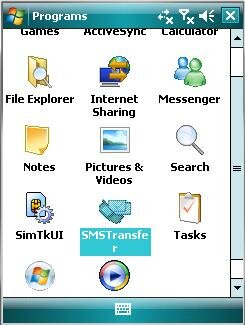


Step 6: Select the "SMSTransfer" in your mobile programs list to run it. You will see the follow screenshot.
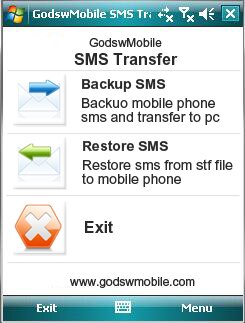


Step 7: Click on "Backup Messages" in the main interface to backup you SMS messages in mobile phone. You will see the follow screenshot.
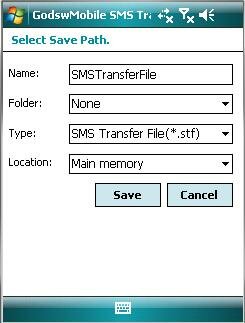


Step 8: Decide the file name, file format and location (The default setting is OK) for your SMS file and click on "Save" to start to backup process. You will see the follow screenshot.
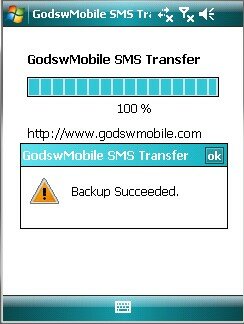

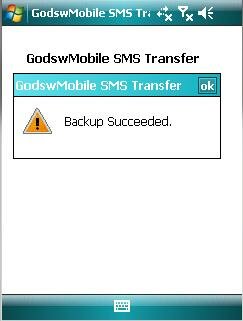
Step 9: After backup completes, all the SMS messages has been backup in a file on your phone. You can save it in your memory card or transfer it to your computer easily by ActiveSync.
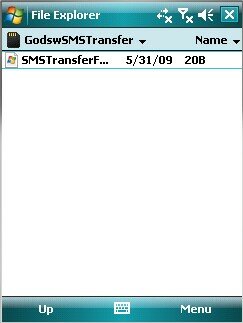
Backup SMS Completed

Download the SMS Transfer Tool for Windows Mobile Now!

Note: The trial version of Godsw SMS Transfer could only transfer 20 sms, to get the full version, please click HERE

Godsw Mobile SMS Transfer 2.0 Released

If you have many important SMS, unfortunately, at the same moment you need to hardset your cell phone or for some other reasons you have to transfer all your SMS. Don't warry. “GodswMobile sms transfer” helps you to transfer all your important and favorite SMS to your pc within 2 minutes. It can both run on Microsoft Windows Mobile 5.0 and 6.0 system

Backup your sms as a txt file
Using this software you can backup your SMS to a txt file which can read by both pc and other cellphones.


Support unlimited SMS backup/restore
Don't worry that you have too many SMS to backup. No matter how many SMS your cellphone has.GodswMobile SMS transfer can backup and restore unlimited SMS and contacts.


Easy to use
Some softwares are excellent but hard to manage.Peple always puzzle with these kind of software. Don't worry GodswMobile sms transfer is too complex to use. It supports customized transfer and very easy for you to manage.


Fully support Windows Mobile 5 and 6
This software can support cellphone both on windows mobile 5 and 6.You can backup the WM5 cellphone and then restore to both WM5 and WM6 cellphone.Also, you can backup WM6 cellphone then restore to both WM5 and WM6 cellphone.


ScreenShots:
backup sms,transfer sms

Directly Download Link:http://www.godswmobile.com/download.html
For more information please visit at http://www.godswmobile.com