So, what can we do with GodswMobile Contacts Manager? Here is a list:
* Read all of your contacts on computer.
* Add new contacts on computer
* Manage contacts including delete,cut,copy,paste.
* Set photo and ringtone for personal contacts
* Switch contacts between sim card and mobile outlook
* Other things you what to do this the contacts
Fabulous? isn't it? GodswMobile Contacts Manager is a free tool designed by Godsw Mobile to help you view and manage the backuped contacts of your windows mobile phone on your computer easily. Let's go and experience !
View and Read Contacts
Step 1:Fistly,you use GodswMobile Contacts Transfer to backup your contacts into a .cts file in your mobile phone. Details please view: Transfer contacts from windows mobile phone to computer.
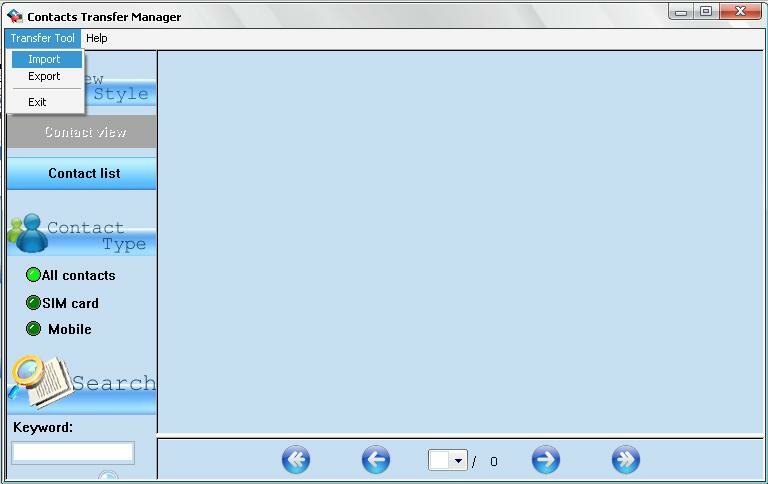
Step 2:Transfer the contacts backup file(*.cts) from your mobile phone to your computer by ActiveSync. Then run the 'GodswMobile Contacts Manager.exe' on your computer. Simply click 'File' -> 'Import'. See the screenshot as following:
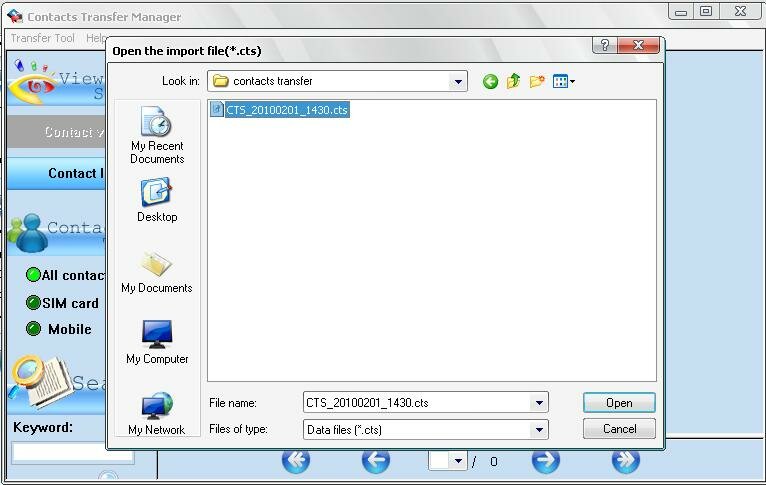
Step 3: Then you will see there is a popup window. You can simply select a contacts backup file which you wanna edit or view and then click 'open'.
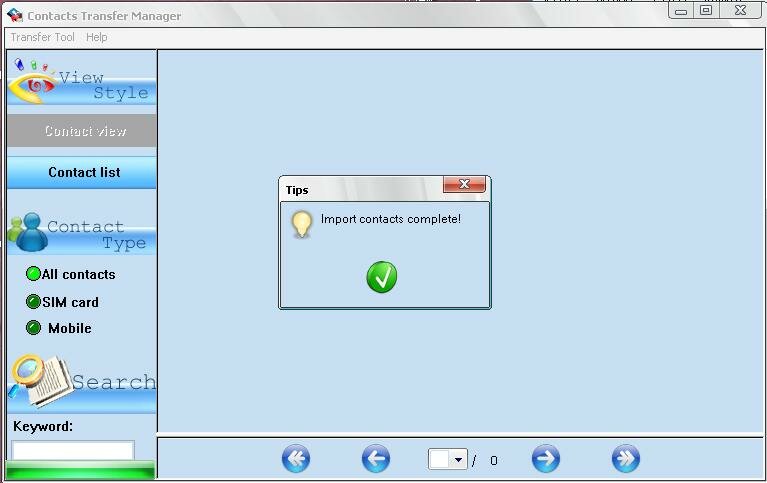
Step 4:Now all contacts you selectd are imported into GodswMobile Contacts Manager. See as the following screenshot:
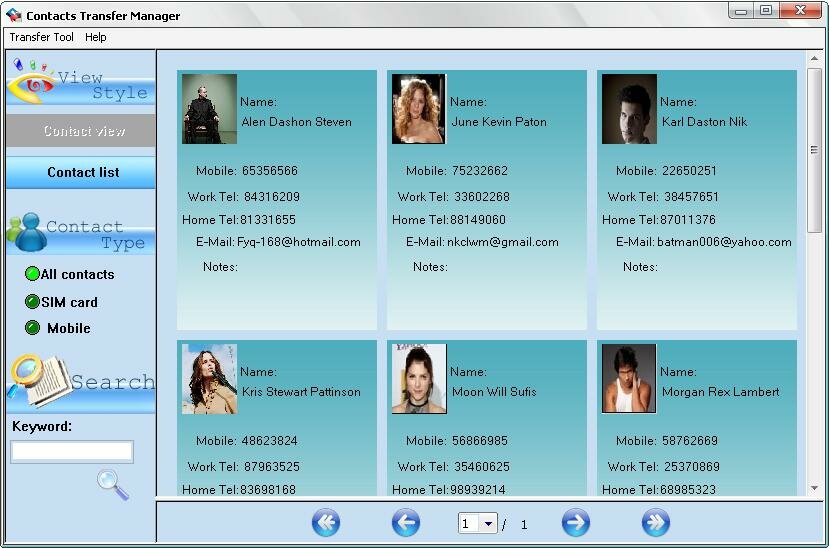
Step 5:There are different view modes for you to view or edit your contacts. For example, if you check 'Contact View' box, the contacts will be displayed as the above mode; if you check “'Contact List' box, the contacts will be listed in the following way (see the following screenshot).
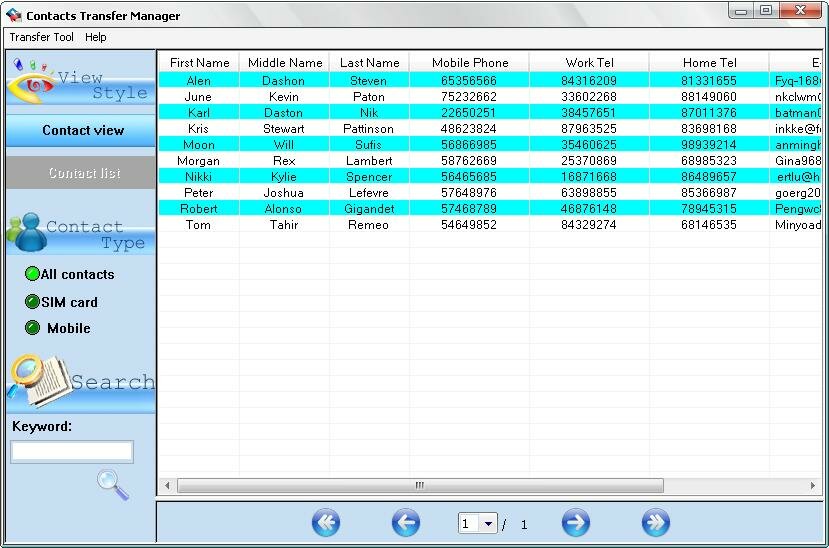
Edit the contacts information, set photo and ringtone for every contact as you like.
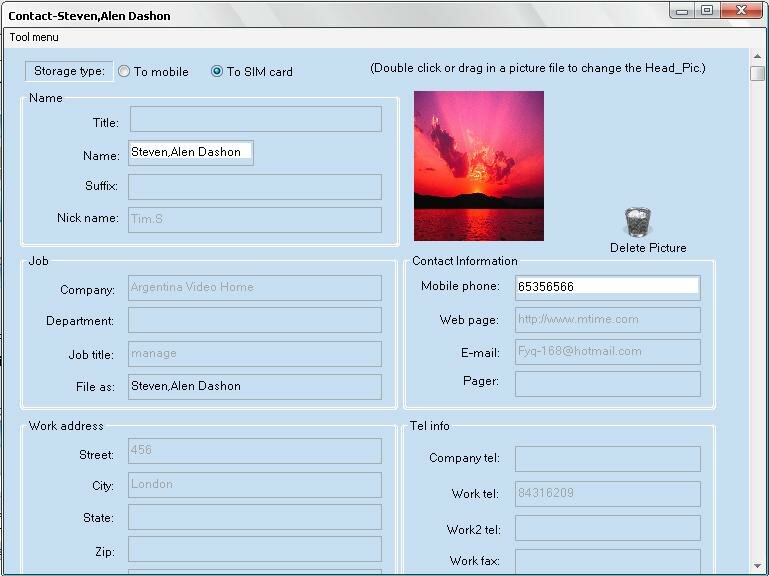
Double Click on which contact you wanna edit, then an edit screen will popup, see as follows screenshot:
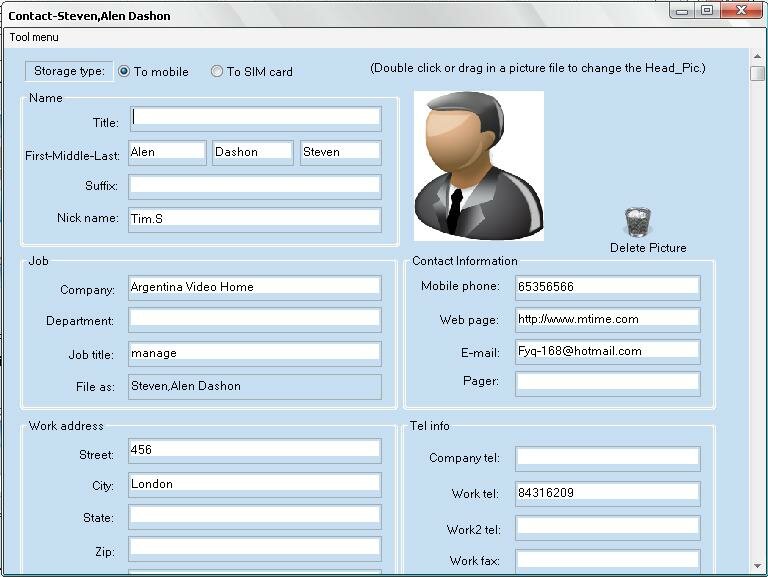
Now,you can add or edit its detailed information, such as name info, company address and so on. If you want to set a photo for this contact, double click on the default photo, and then you could choose a pic in your computer as the contacts photo:
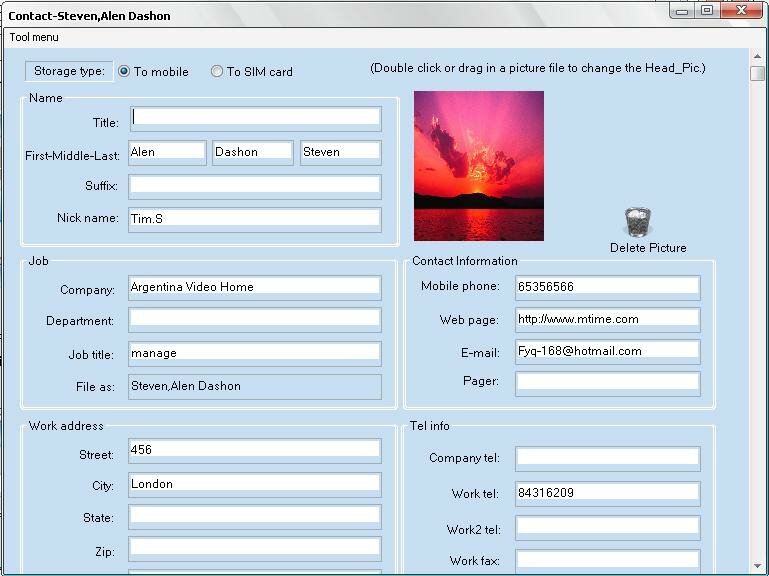
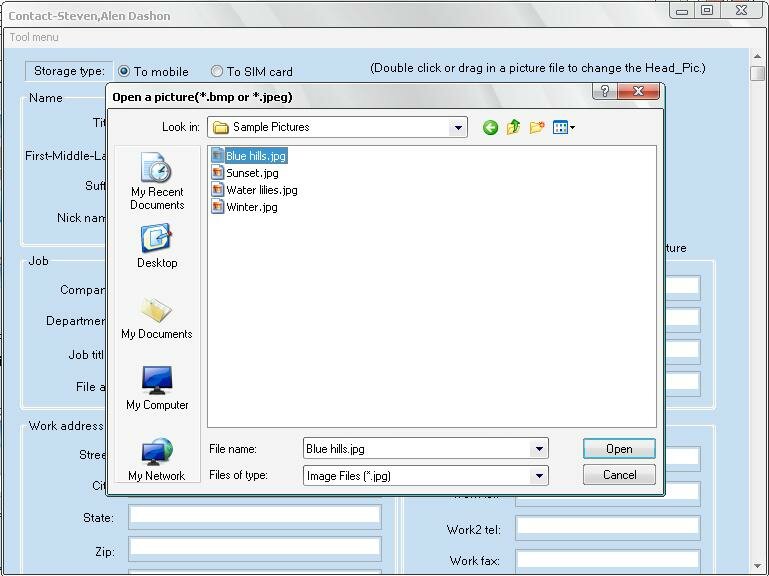
You could also drag a picture to change the contact phone..
In a case that you wanna cancel a photo setting for that contact, you can click the 'Delete photo'.
In this editing screen, you can also set a special ringtone for the contact. Simply select 'Browse' option from ringtone dropdown menu (see the following screenshot), and then select your favourate music file from your computer. It supports .mp3, .wma and .wav formats files.
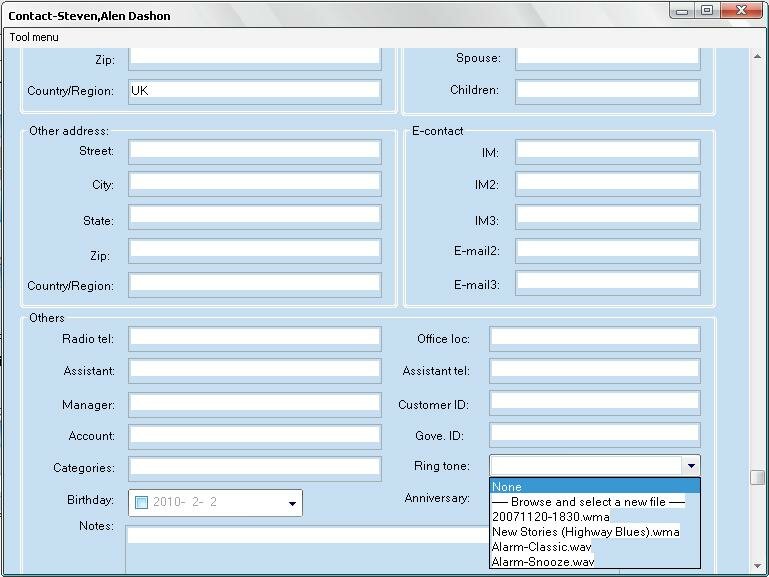
After finish editing, click the menu and choose 'save and exit'. If you don't want to save what you have edited, please close the editing windows before saving.:
Switch contact between sim card and outlook
In the storage type, you can switch contacts to sim card or switch contacts to mobile, which can help you switch contacts between sim card and outlook easily.
Add new contacts
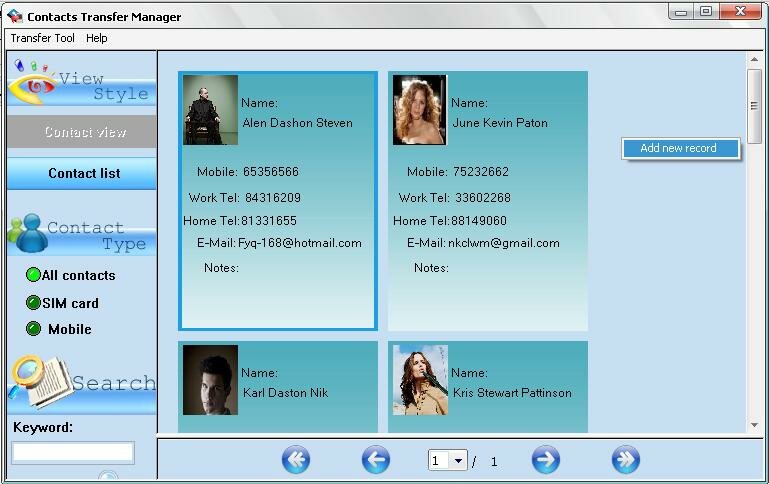
Right Click to choose 'Add New Record' GodswMobile Contacts Manager,you can add a new contact simply.
Output your edited contacts as .cts Backup File and restore back to your phone.
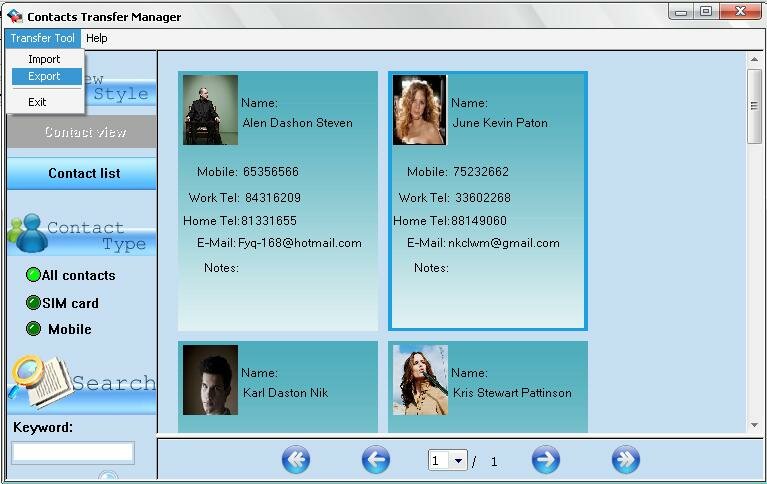
You can export the contacts to a “.cts” backup file (*.cts) by Clicking the 'Export' option. This backup file can be restored back to and read as contacts in your window mobile phone .

没有评论:
发表评论