Step 1:Still, we begin with GodswMobile “Contacts Transfer”.You will see a screenshot as follow:

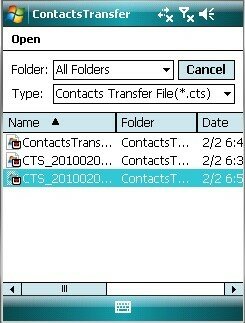
Step 2:Click the “Restore”button and you will see the follow screenshot, then select the file which you need to restore and then click “OK” to restore:
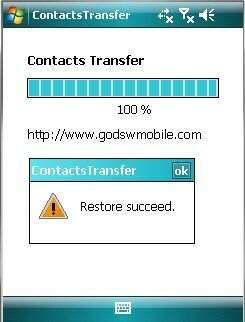
Step 3: in fact, when you see the following screenshot, you have almost done. the whole process just takes a few seconds even though there is a very large file of contacts.
NOTE: Godswmobile Contacts Transfer has a trial version , but you can only transfer up to 20 outlook contacts with it. You can download it directly from here. If you want to get the full version and transfer unlimited contacts, just click here to pay with security and get it instantly.
GodswMobile Contacts Transfer has a file size of just 1M, a tiny size but a great utility.

没有评论:
发表评论